📖 User Manual
Everything you need to know about AIAMI — tap any section to explore
Navigation
Menu, tabs, icons, and the input bar
▾
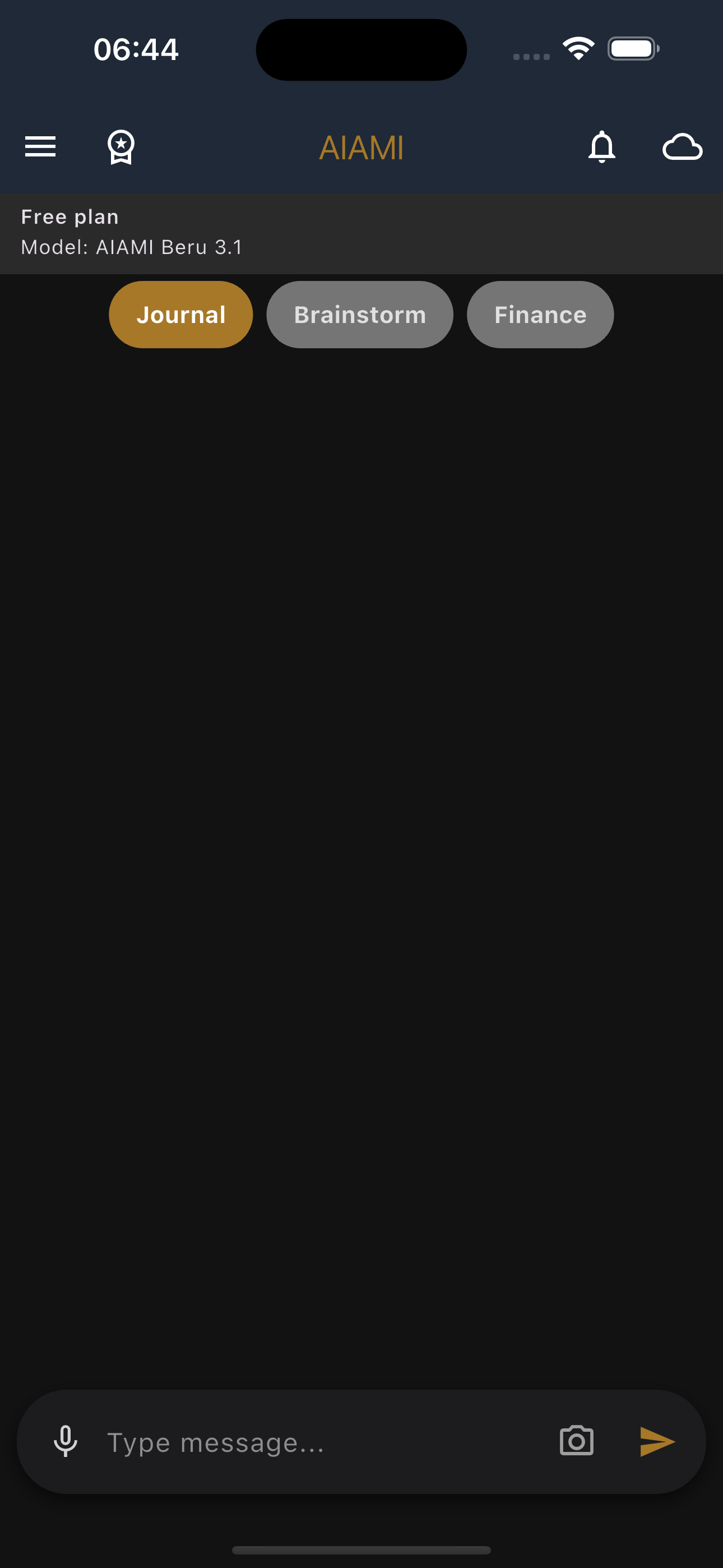
📑 Tabs
- Journal — your diary and personal thoughts
- Brainstorm — generate ideas and solutions with AI
- Finance — manage and track your spending
🔧 Top Icons
- 🔔 Bell — reminder drawer (in Journal and Brainstorm)
- 💼 Wallet — finance drawer (in Finance tab only)
- ⚙️ Settings — settings screen
- 👑 Crown — plans and subscriptions
⌨️ Input Bar
- 🎤 Mic — voice input (speech to text)
- 📷 Camera — take a photo or choose from gallery
- ✏️ Text field — type your message
- ▶️ Send — send the message
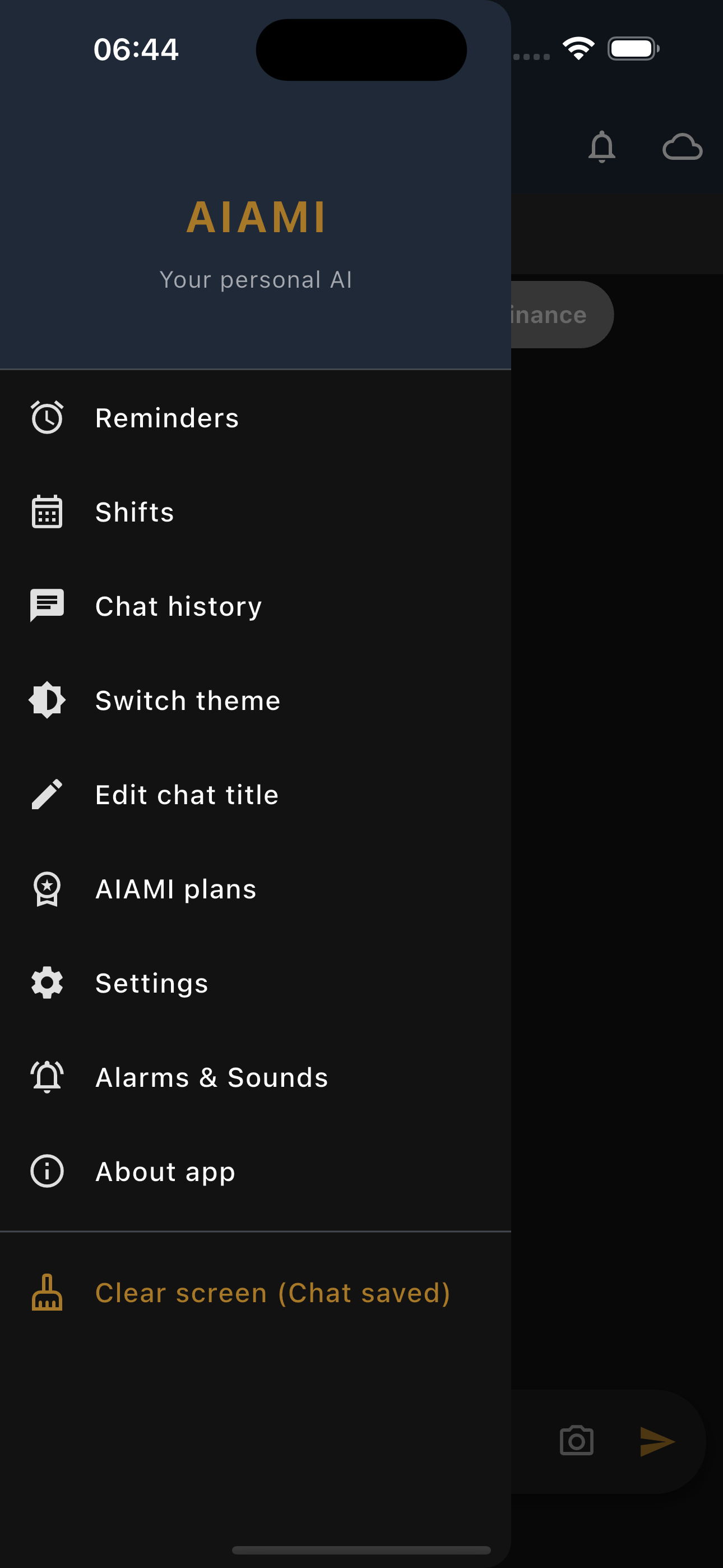
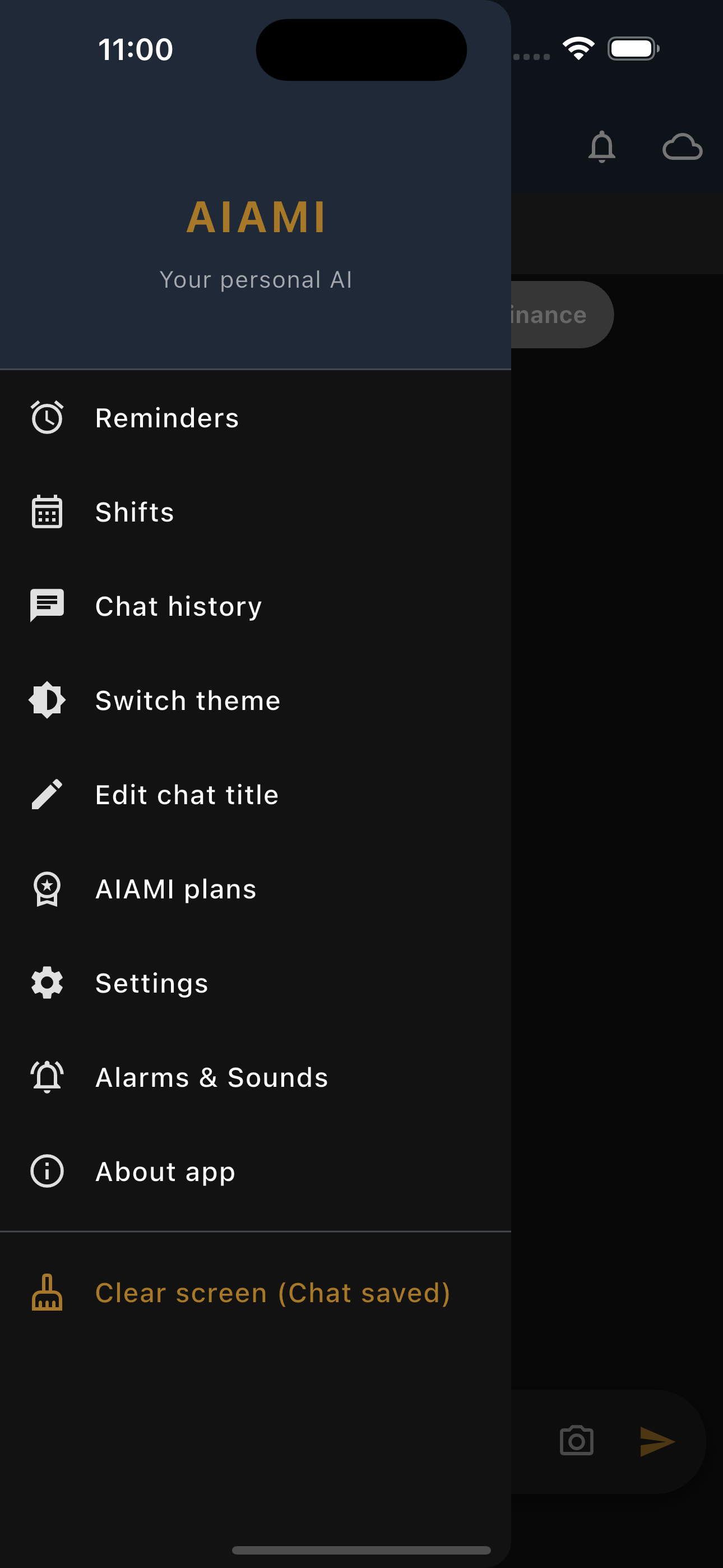
☰ Side Menu
- Swipe right or tap ☰ to open the menu
- Reminders — manage your reminders
- Shifts — work shift calendar
- Saved Chats — view/share/delete saved files
- Theme Toggle — switch between dark and light
- Rename Tabs — customize tab names
- AIAMI Plans — view plans and pricing
- Settings — all app settings
- Clear Screen — clear current chat (auto-saved to archive)
Side Drawers
Reminder drawer and finance drawer — quick tools with one swipe
▾
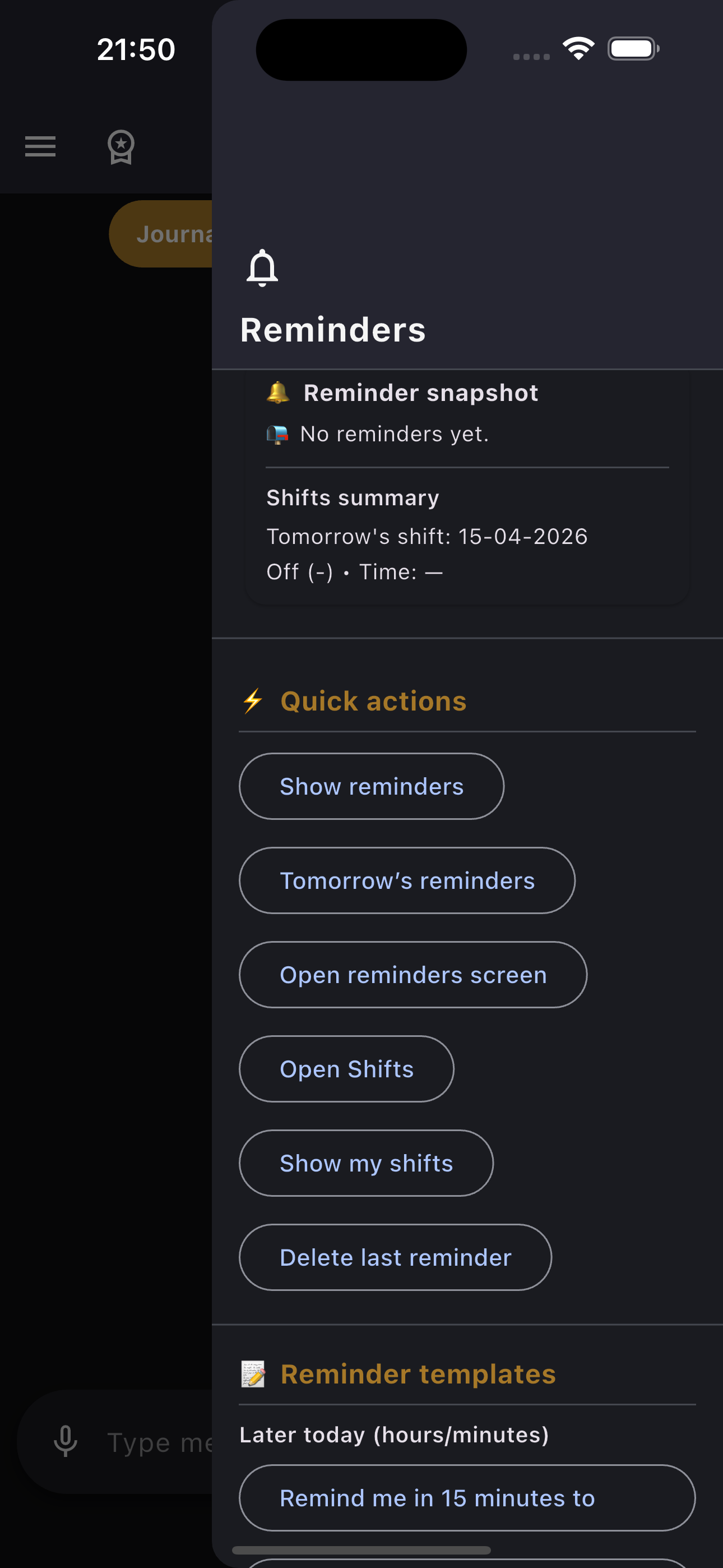
🔔 Reminder Drawer
- Available in Journal and Brainstorm tabs
- Total reminders + today's reminders + next upcoming
- Tomorrow's shift (if any)
⚡ Quick Actions
Show my reminders
Tomorrow's reminders
Open reminders screen
Open shifts screen
Show my shifts
When is my next shift
Delete last reminder
⏱️ Later Today
Remind me in 15 minutes
Remind me in 30 minutes
Remind me in 2 hours
📆 Days & Dates
Remind me tomorrow at 8 AM
Remind me in a week
Remind me Saturday at 10 AM
🔁 Daily Recurring
Remind me every day at 7 AM
Remind me every day at 9 PM
Remind me every day at 10 PM
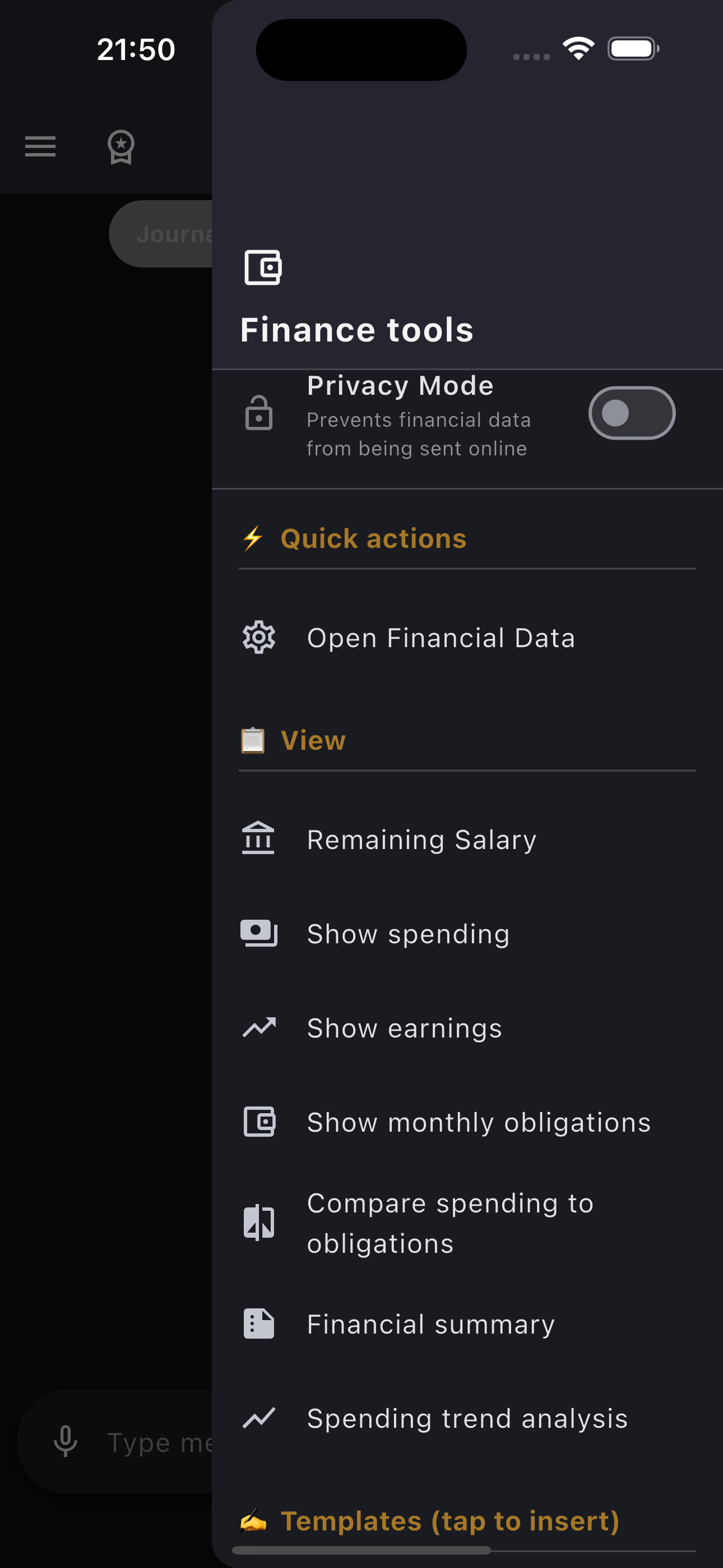
💼 Finance Drawer
- Available in Finance tab only
- Monthly overview — total spending + top 3 categories
- Last 5 transactions
📋 Review
Remaining salaryShow spendingShow incomeCompare spending to obligationsFinancial summarySpending trend analysis✍️ Logging Templates
I spent 10 on petrolRefund 5 from storeIncome 200 from sales🎯 Budget Tools
Increase groceries budget to 200Lower coffee budget to 60How much left for groceries↩️ Undo Tools
Undo last store expenseUndo last expenseUndo last income🛎️ Reminders (inside the finance drawer)
Remind me today at 11 pm to review my expensesRemind me every day at 10 am to review my expensesDelete last reminderChat & Voice
Text, realistic voice, photos, and memory
▾
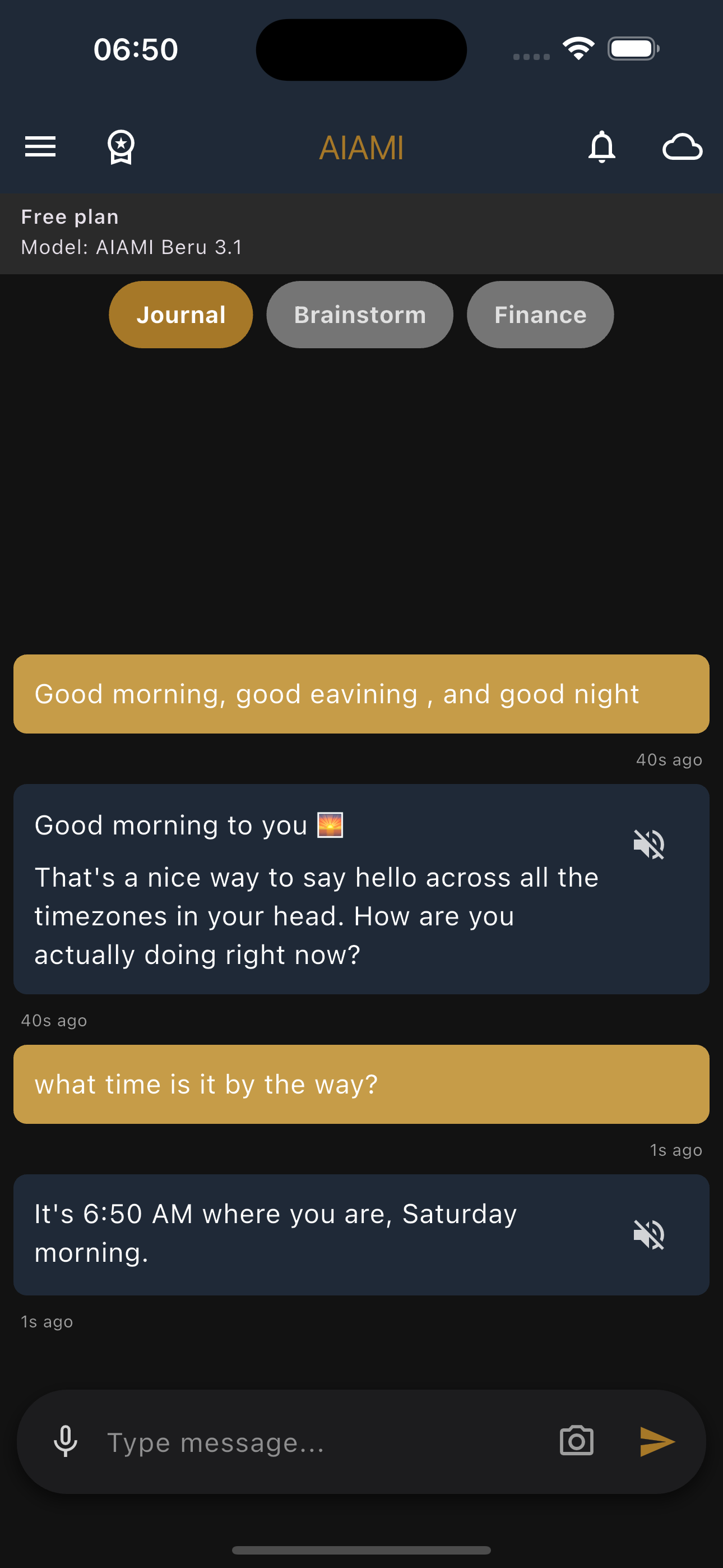
✍️ Sending Messages
- Type your message and tap send
- Attach a photo from camera or gallery (auto-compressed)
- Tap any photo in chat → view full size
- Each tab saves its conversation separately
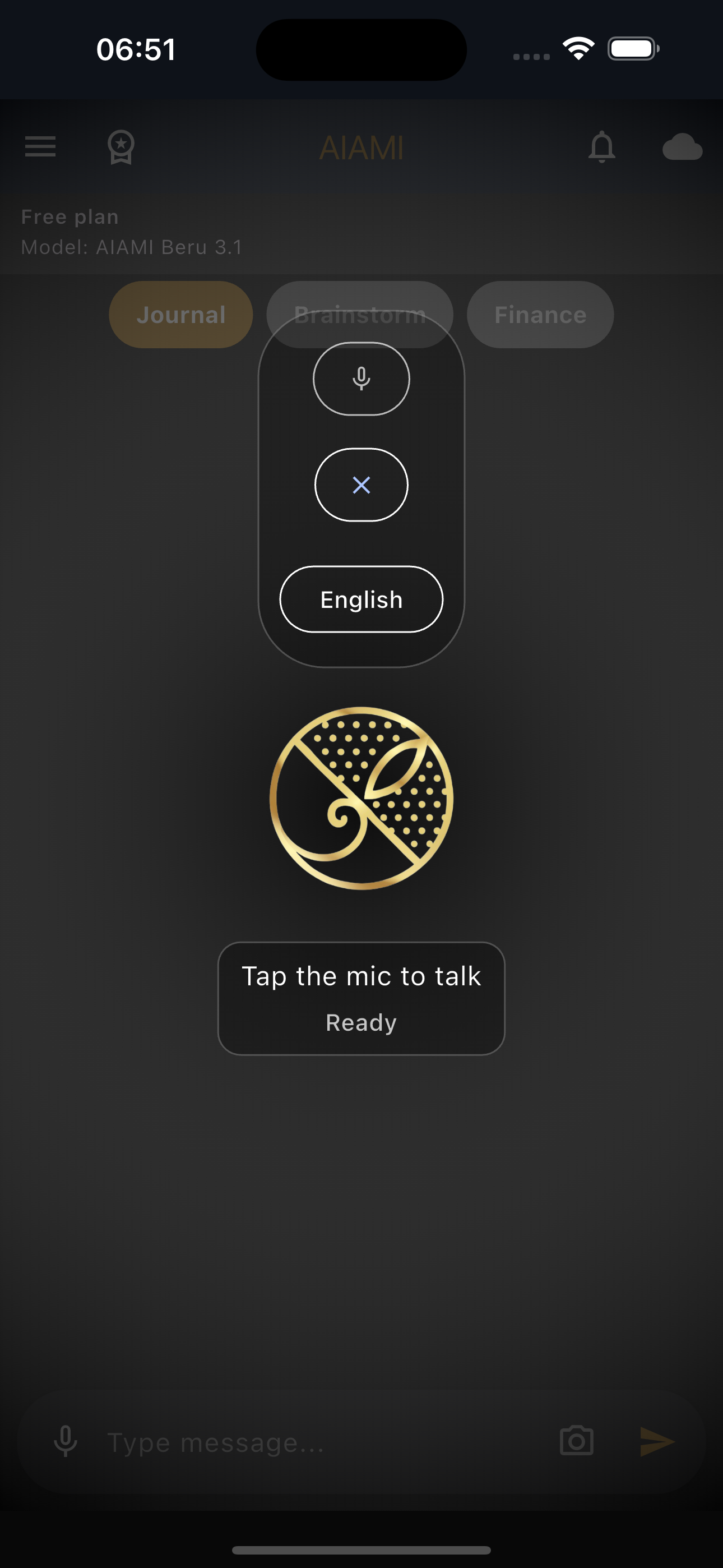
☁️ Voice Mode
- Tap the cloud icon → enter voice mode
- Speak → AI responds with a realistic voice
- Conversation loops automatically (continuous chat)
- Tap mic during response → interrupt and re-listen
- Switch speech recognition language: Arabic ↔ English
💡 Memory: "Clear screen" only clears the current conversation.
Permanent memory and archive are unaffected. Say "remember [word]" to search the archive.
Financial Commands
Log spending and income in plain language — type or say it
▾
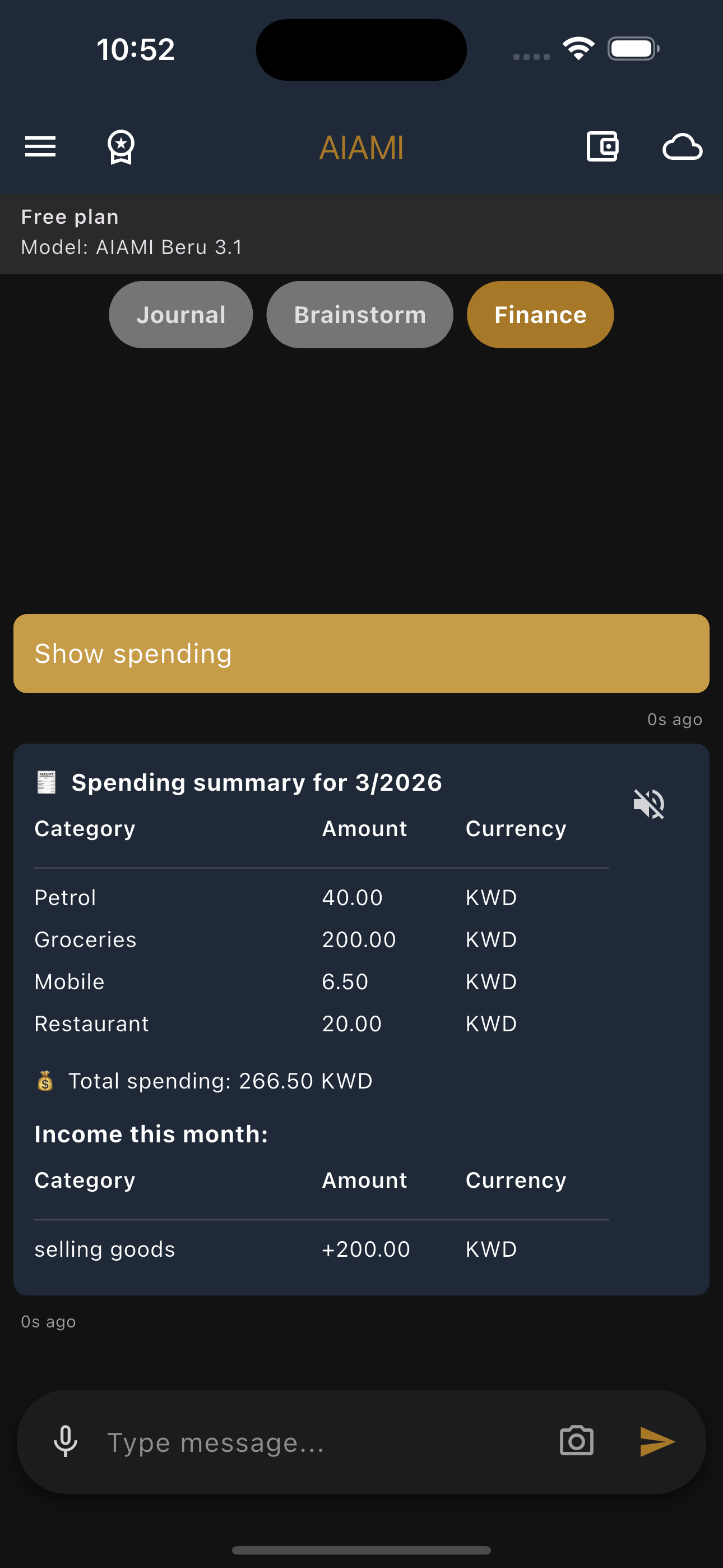
📥 Logging Transactions
Spent [amount] on [category] → log expenseRefund [amount] from [category] → log refundIncome [amount] from [source] → log income↩️ Undo & Edit
Undo last expense for [category]Undo last expenseRaise [category] budget to [amount]Lower [category] budget to [amount]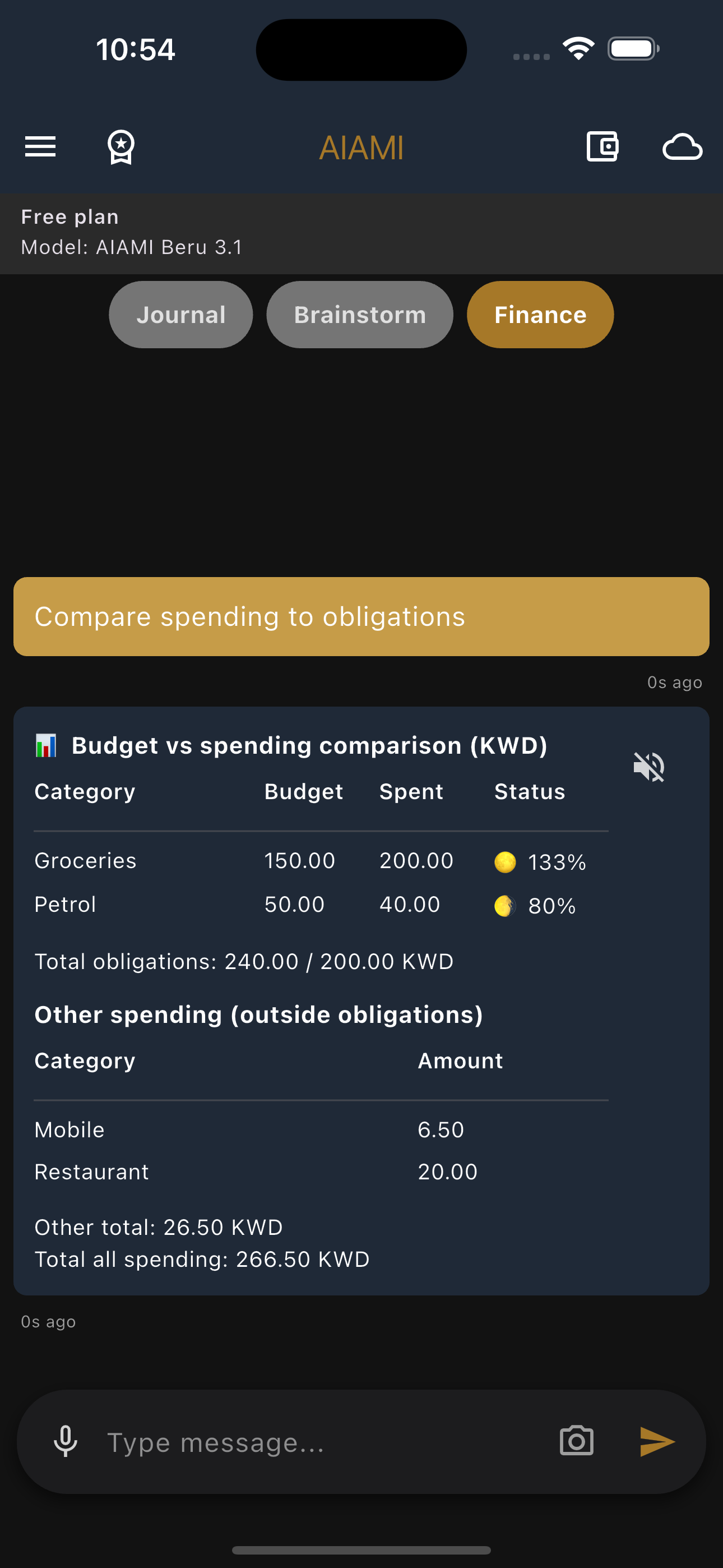
📊 Review
Show spendingShow incomeRemaining salaryCompare spending to obligationsHow much left for [category]Financial summarySpending trend analysis✅ How to know it was saved
- A saved reply carries a Recorded by the app badge with a verified icon.
- No badge means nothing was written — however confident the reply sounds.
- Tables, summaries and refusals never carry it, because they write nothing.
💱 Named currencies
- Recognised: dinar, riyal, dirham, dollar, pound, euro — plus currency codes.
- Conversion uses the exchange rates you entered yourself.
- If the word matches your own currency, nothing is converted.
- No rate set → the spend is refused; add one under Financial data → Exchange rates.
- An ambiguous word (riyal) → AIAMI asks which currency and records nothing until you say.
🧾 One-off expenses
- Spending on a category that isn't one of your monthly obligations gets its own section between income and obligations.
- It shows what you spent this month, not a budget.
- In the compare table these appear under "Other", not as obligations.
- Give one a budget and it moves into obligations — permanently.
- A one-off's budget is counted per day; the reply spells out the monthly equivalent.
💳 Loan installments
- Installments deduct automatically on the payment day, when you open or return to the app.
- Only the outstanding balance moves — nothing is logged as spending.
- A line in the finance chat shows what's left and the percentage paid, then 🎉 when the loan settles.
- Each loan has an Announce deduction switch — turning it off hides the message, not the deduction.
- If the payment day was guessed from the end date, AIAMI tells you so you can correct it.
🗑️ Deleting a category
- A category with no budget and no spending is deleted without asking.
- A category with spending gives you two choices:
- Remove from the list only — your spending is kept, and the category returns if you spend on it again.
- Delete the category and its spending — the transaction count and totals are shown first; this cannot be undone.
- If earlier months are affected, AIAMI warns that those summaries will change.
💡 Recognised forms:
spent / refunded / income + amount + on or from + category.
Other verbs like paid or bought are not recorded — AIAMI replies with a correction showing the right format.
Reminders
Create reminders via chat or manually — in Arabic or English
▾
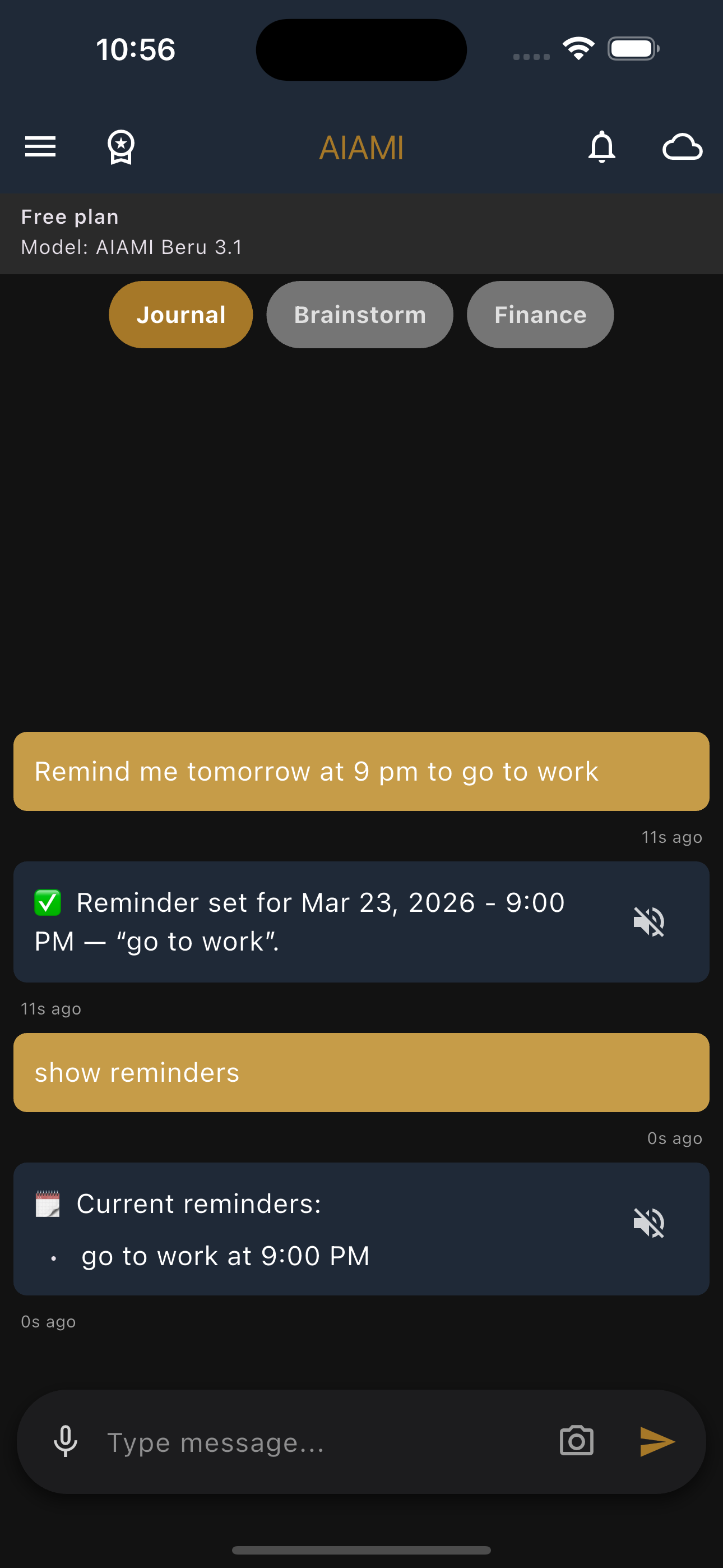
💬 Via Chat
Remind me in 1 hour → relative reminderRemind me tomorrow at 9 PM → specific timeRemind me every day at 7 AM → daily recurringShow my remindersDelete last reminder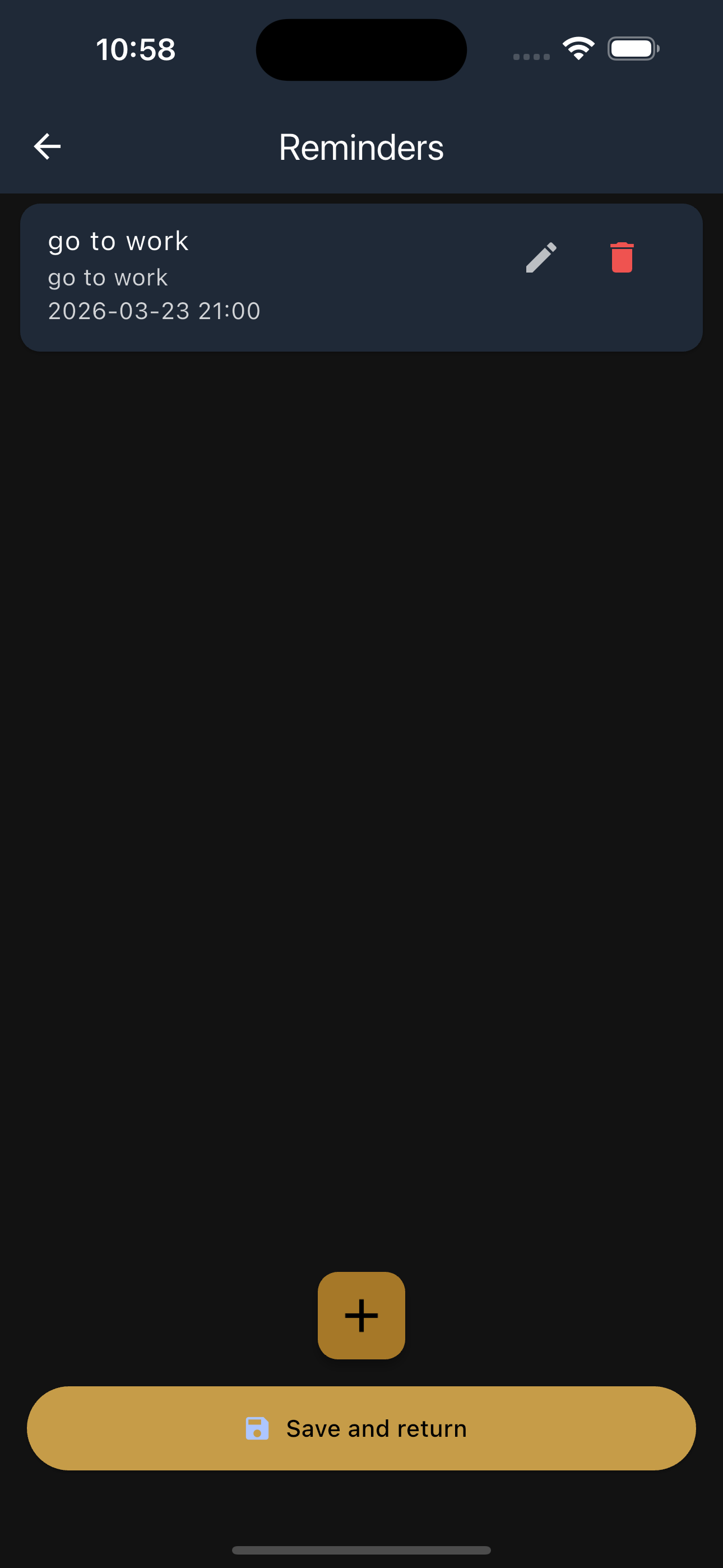
📋 Reminders Screen
- View all reminders with time
- Add reminder manually (title + message + time + repeat)
- Edit or delete any reminder
Shifts
Monthly calendar for scheduling work shifts with automatic alerts
▾
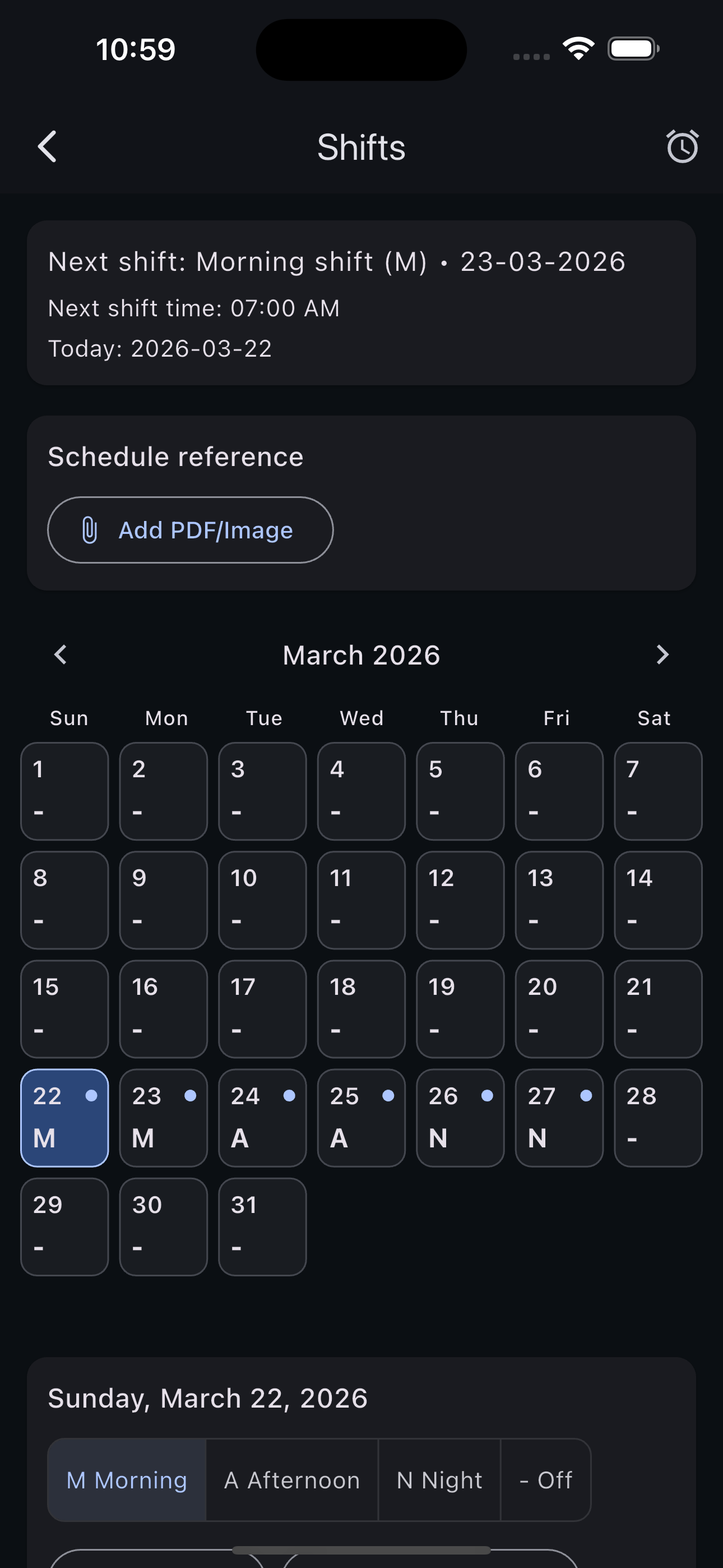
📅 Calendar
- Monthly calendar to set shift type for each day
- Types: Morning (M) / Afternoon (A) / Night (N) / Off (O)
- Tap a day → select type (auto-advances to next day)
- Clear a day or clear the entire month
- Navigate between months with arrows
📎 Schedule Reference
- Attach a PDF or image as your schedule reference
- View reference / open externally / remove
⏰ Shift Alerts
- Enable/disable alerts
- Early alert: 5 / 10 / 15 / 30 minutes before
- Set time for each shift type (morning / evening / night)
Settings
Names, AI personality, voice, archiving, and language
▾
👤 Identity
- Change your name and the AI's name
- Change display names above message bubbles
🧠 AI Personality
- Edit personality for Journal / Brainstorm / Finance
- Reset any personality to default
🎙️ Voice Settings
- Enable/disable realistic voice
- Choose voice: Alloy, Echo, Fable, Onyx, Nova, Shimmer, and more
- Adjust response delay and timing settings
📦 Archiving & Language
- Set message count before auto-archiving
- App language: Arabic (default) or English
- Restore all default settings
Data & Export
Your files are yours — export, import, or delete anytime
▾
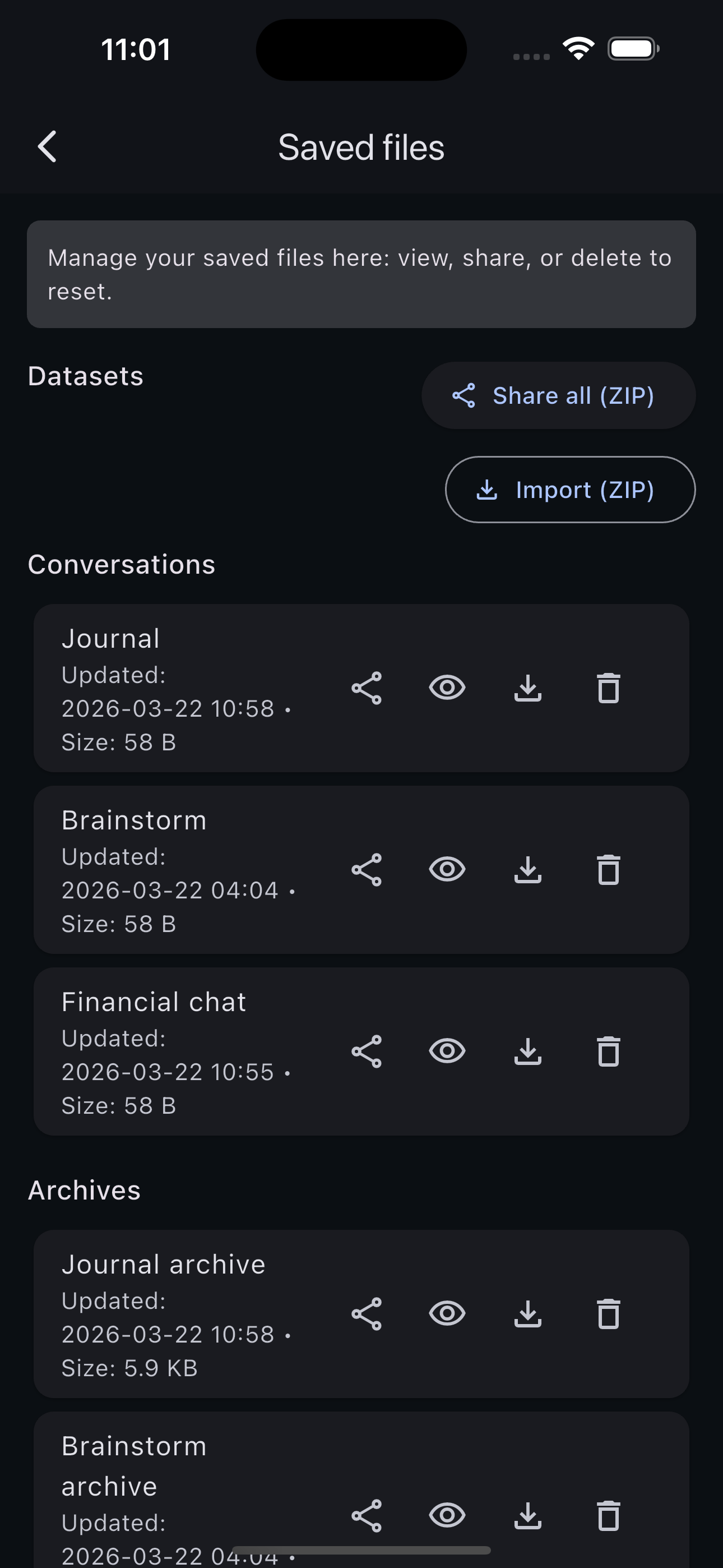
📂 Saved Files
- Conversations: Journal / Brainstorm / Finance
- Archives: archive for each tab
- Finance data: core data + spending log
- Reminders and usage log
🔄 Per File Actions
- View content
- Share
- Import replacement file
- Delete (creates empty replacement)
📤 Export & Import
- Share All (ZIP) — export all data as a compressed file
- Import (ZIP) — restore data from a compressed file
💡 Your privacy: All your data is stored on your device only.
Nothing is sent to external servers. You own your data completely.